Dentistry
A tooth chart a dentist actually wants to use — and a 3D mouth to show the patient.
Every tooth and every surface in FDI notation, permanent and milk teeth. Tap a tooth to set what it is — caries, filled, crown, root canal, implant, missing — and open the 3D view to show the patient exactly what you mean.
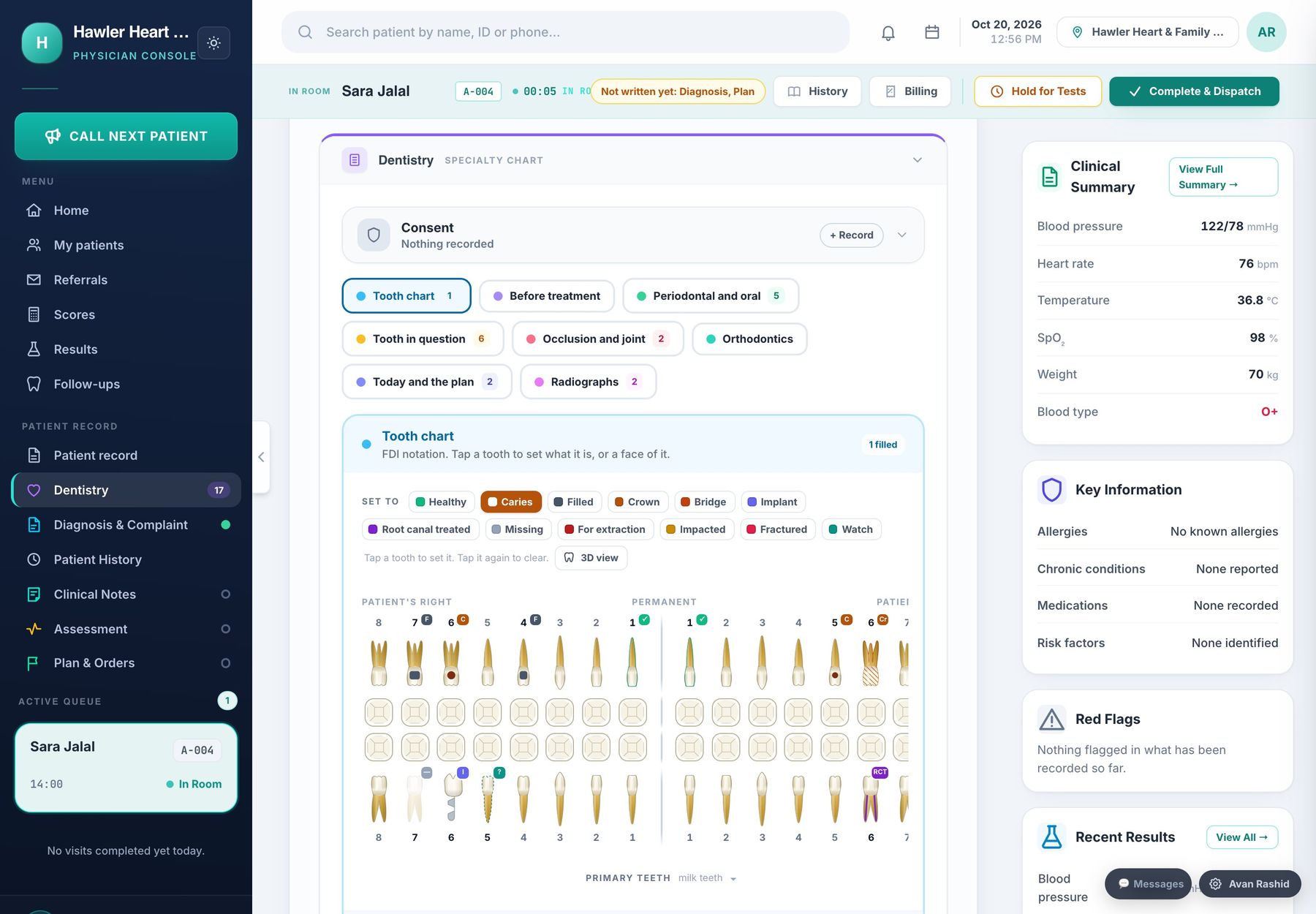
The tooth chart, with the treatment plan and periodontal sections beside it.
FDI tooth chart with surfaces, a 3D view of the mouth, periodontal charting, orthodontics and the treatment plan.
Tooth and surface charting
Twelve conditions per tooth, surfaces for fillings, and milk teeth for children.
Safety before treatment
Anticoagulants, bisphosphonates, prophylaxis and problems with local anaesthetic, asked before you start.
Periodontal and oral
Hygiene, bleeding on probing, calculus, pocket depth, mobility and recession.
Orthodontics
Appliance, arch, phase, overjet, overbite, crowding, wire and elastics.
Today and the plan
What was done, on which teeth and surfaces, with material and shade — and what comes next.
Follow-ups
A list of patients due back, so treatment plans do not quietly stop half way.
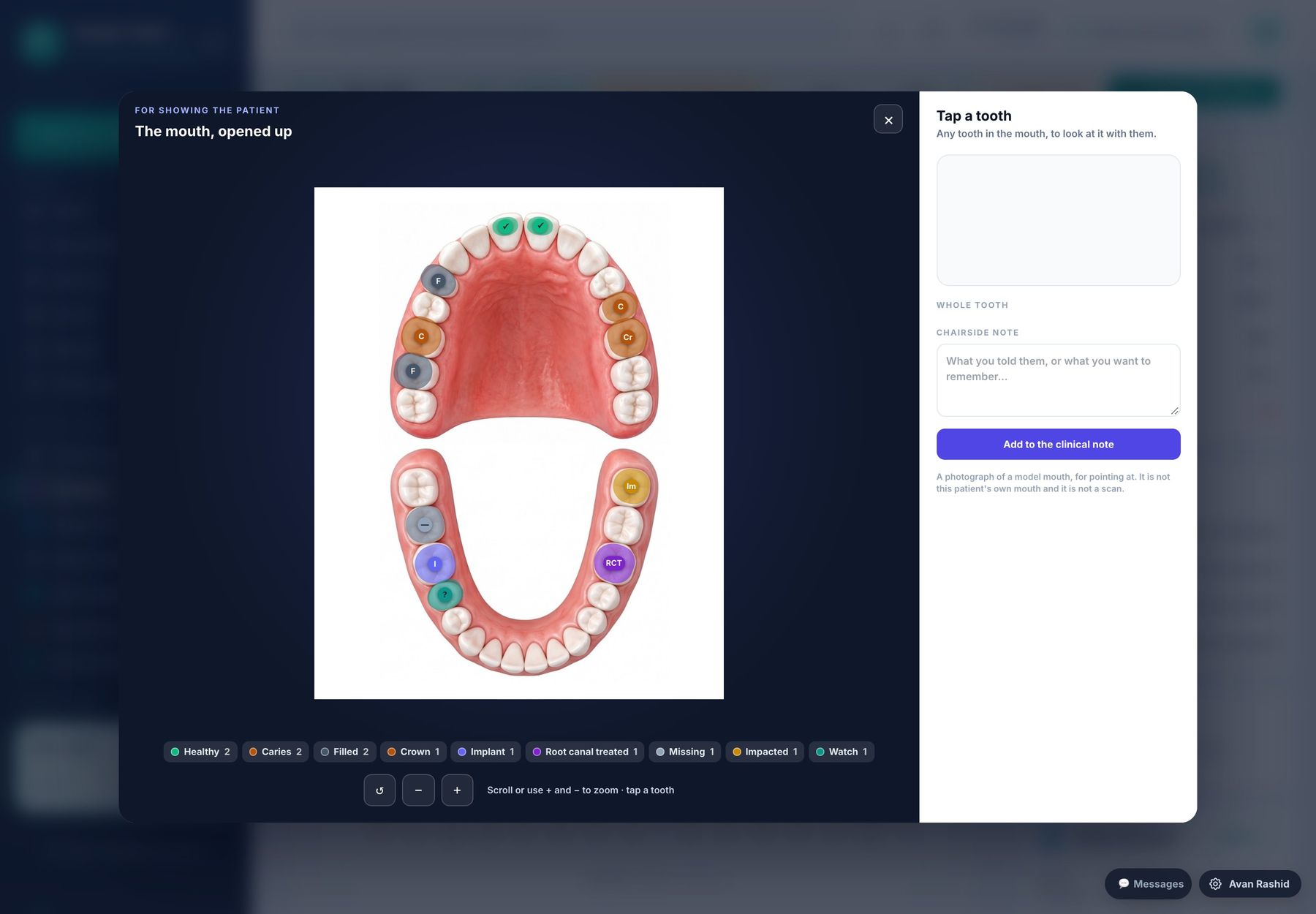
A closer lookThe mouth in 3D, both arches, with every marked tooth in its colour.
The details that make the difference.
Everything on this page is in the software today. Nothing here is a promise for later.
- ✓3D view of the mouth for explaining treatment
- ✓Radiographs recorded by type — periapical, bitewing, OPG, CBCT
- ✓The tooth chart prints into the visit report, and patients see their own chart in the app
One record, shared by every room.
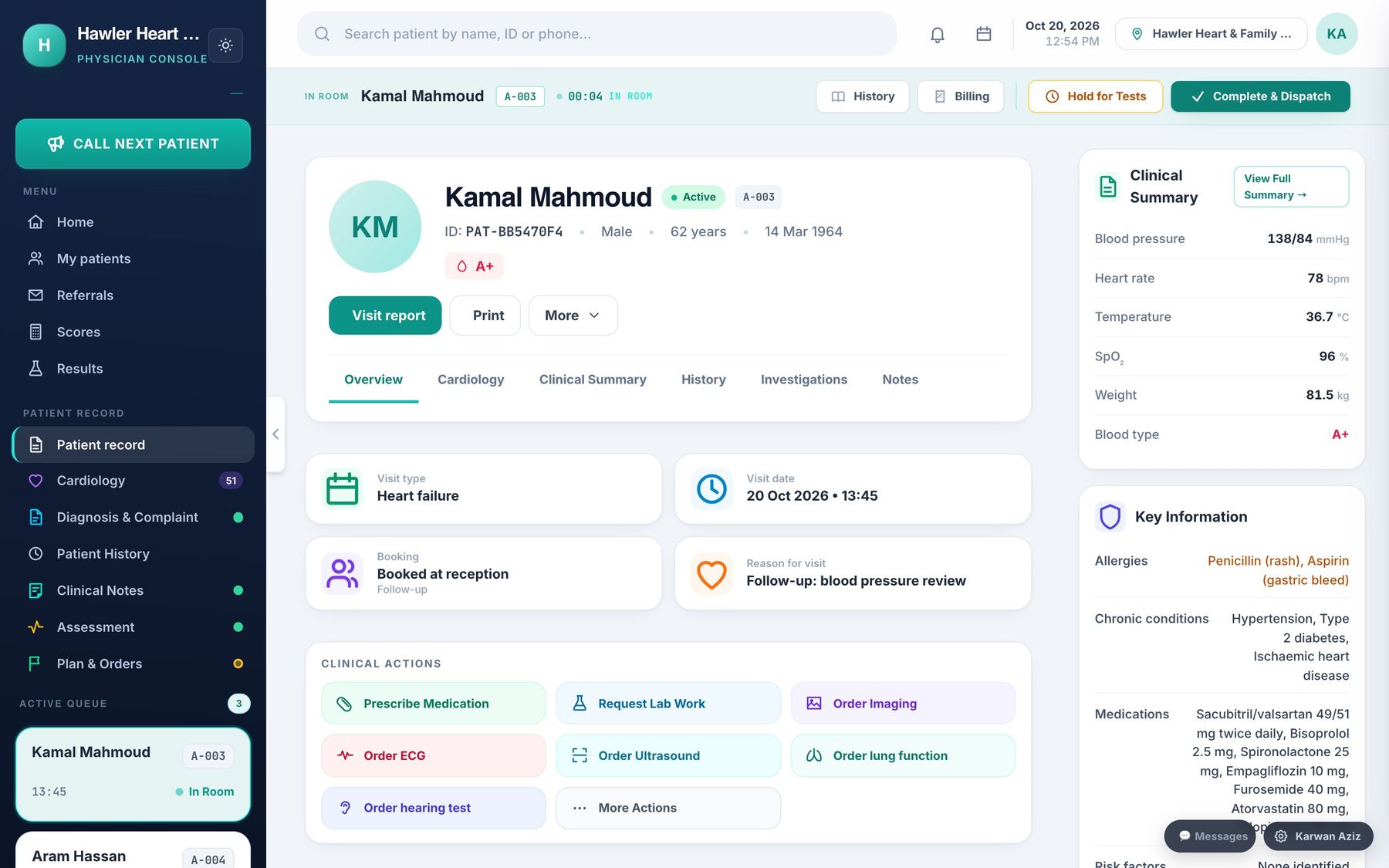
The doctor’s console
One screen for the consultation: notes, specialty chart, orders, prescriptions with allergy checks, and the visit report.
Read moreThe patient app
A mobile app for patients and their families: results and trends, bookings, the live queue, medicines and messages.
Read more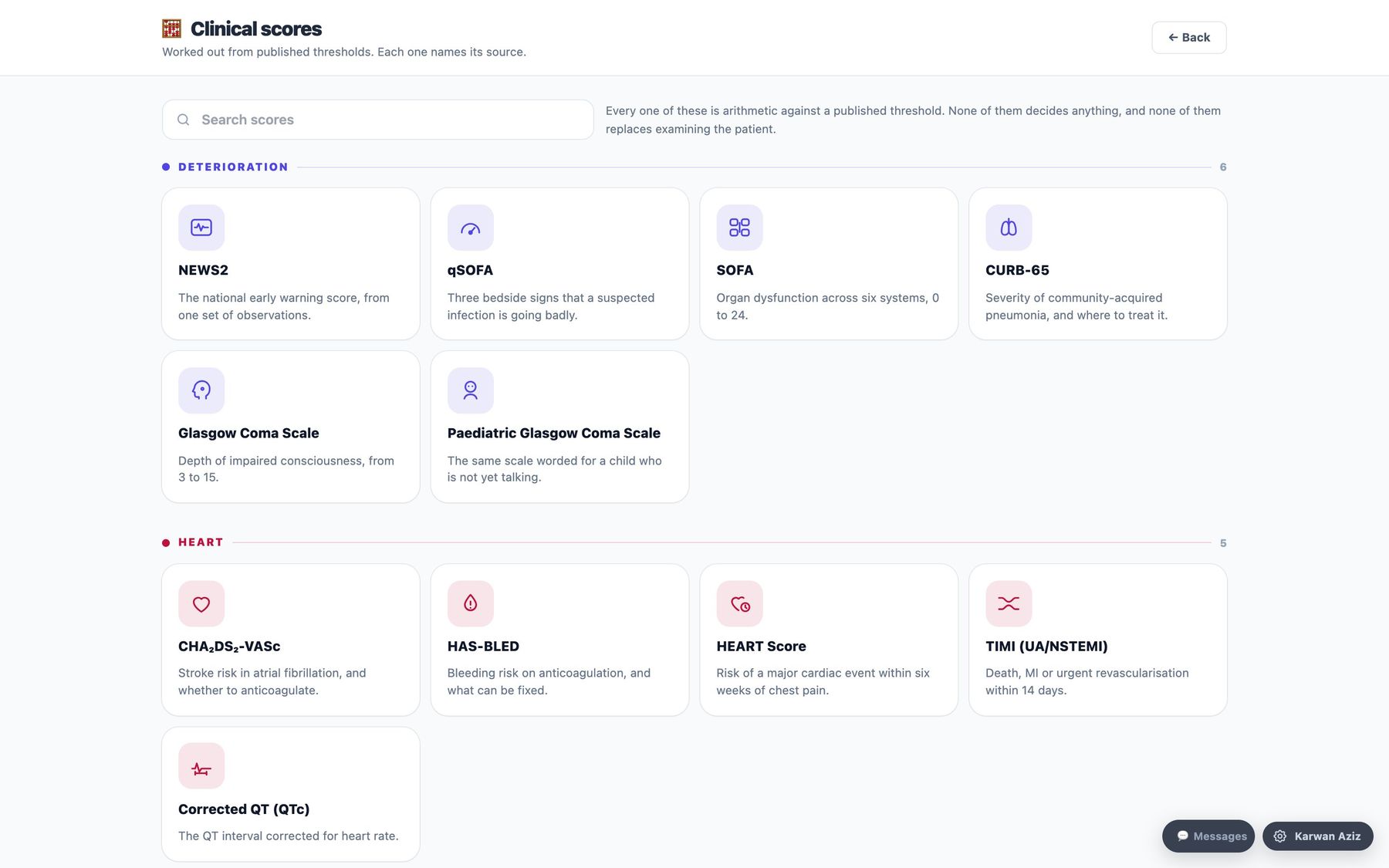
All 22 specialties
From general practice to oncology — 22 specialty charts and 31 clinical scores, each named with its source.
Read more